
Vehicle Hub · Range Rover Evoque
Range Rover Evoque — Diagnostics, Coding & Retrofits
Both Evoque generations covered — the L538 (2011–2018) on SDD and the L551 (2019–present) on DoIP/Pathfinder. Diagnostic requirements by model year, common faults, and every retrofit we support.
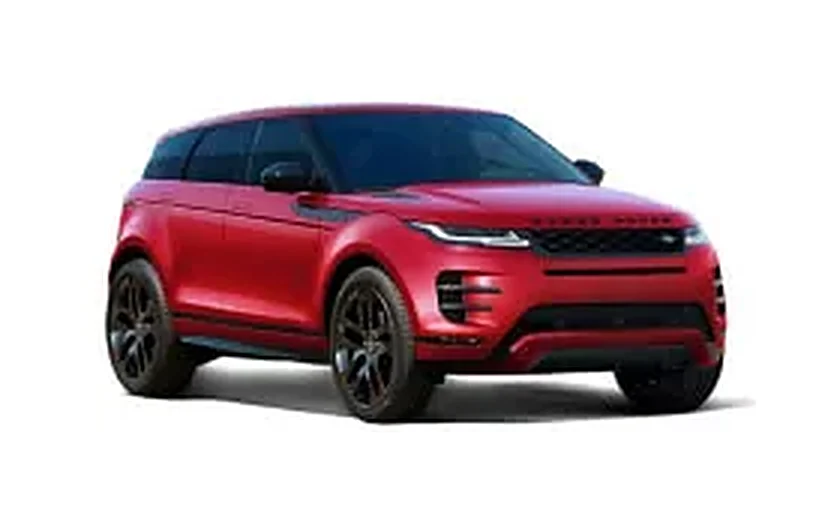
Model Overview — Two Generations, Two Diagnostic Eras
From the lane keep assist activation Evoque drivers request most to head-up display retrofits and diagnostics for either generation, this hub covers both. The Evoque is JLR's best-selling nameplate, and it spans the biggest technical divide in the brand's history — factory details live on the official Range Rover Evoque site. Which Evoque you have determines exactly which tools you need:
| Generation | Years | Platform | Diagnostic system |
|---|---|---|---|
| L538 (first generation) | 2011–2018 | D8 (Ford-derived) | SDD over CAN |
| L551 (second generation) | 2019–present | PTA (Premium Transverse Architecture) | Pathfinder + TOPIx Cloud over DoIP |
Powertrains span Ingenium petrol and diesel four-cylinders (P200/P250/P300, D150/D180/D240), the P300e plug-in hybrid on the L551, and earlier Si4/TD4/SD4 units on the L538.
Diagnostics by Generation
The Evoque spans JLR's diagnostic divide: first-generation cars talk to SDD over CAN, while the 2019-onward generation is DoIP-only and needs Pathfinder with TOPIx Cloud.
L538 (2011–2018): SDD territory
The original Evoque is pure SDD coverage:
- Full guided diagnostics, DTC read/clear and module programming over classic CAN
- CCF editing for configuration changes and retrofits
- Key programming on supported model years
- Works offline once installed — no subscription needed for diagnostics
A CAN-capable interface is all the hardware required — this is the most affordable JLR platform to equip for. A Mongoose-class cable works; the SX-Tool JLR Interface covers the L538 and every newer platform with one device.
Diagnostic Quick Reference
| Item | Evoque L538 (2011–2018) | Evoque L551 (2019–) |
|---|---|---|
| Diagnostic application | SDD | Pathfinder |
| Online portal | Not required | TOPIx Cloud (for programming) |
| Protocol | CAN | DoIP |
| VCI requirement | CAN-capable (Mongoose or better) | Native DoIP |
| Key programming | SDD (supported years) | Online via TOPIx Cloud |
| Offline diagnostics | Yes | Yes (diagnostics only) |
L551 (2019–present): DoIP territory
The second-generation Evoque moved to PTA and DoIP from launch:
- Pathfinder for all diagnostics — CAN-only tools cannot connect
- TOPIx Cloud required for online programming, software updates and security operations — see the TOPIx Cloud hub
- A native DoIP VCI is mandatory; our hardware comparison covers the options
Common Evoque Faults
Across both generations, the Evoque's fault pattern is dominated by electronics and software rather than mechanical failure — these are the issues we diagnose most often.
L538
- Battery low warning / power management faults — the famous "Battery Low — Please Start Engine" message. Usually a failing battery, a degraded battery monitoring sensor, or poor charging — but the battery-monitoring system itself needs reset after replacement, which is an SDD job.
- Haldex (AWD) coupling faults — pump and control module issues on all-wheel-drive cars; guided tests isolate them quickly.
- Nine-speed automatic (9HP) behaviour complaints — software updates through SDD resolve many shift-quality complaints.
- Parking brake module faults — common with age; SDD has the service routines for actuator replacement.
L551
- Pivi Pro / Touch Pro Duo software issues — frozen screens, failed updates and camera dropouts; mostly resolved with software reloads.
- SOS / TCU warnings — telematics backup battery degradation on 2019–2021 builds in particular.
- MHEV 48V system warnings — belt-integrated starter generator and DC-DC converter faults on mild-hybrid builds.
- ADAS calibration drift — camera and radar basic settings required after windscreen, bumper or suspension work.
Supported Retrofits & Feature Activations
From lane-keep assistance to head-up displays, most Evoque upgrades follow the same pattern: fit the hardware, then activate it in software. These are the retrofits we support.
L551 (2019–present)
- Lane keep assist activation and driver-assistance pack upgrades
- Head-up display retrofit — hardware plus full configuration
- 360 surround camera retrofit — including camera calibration
- Adaptive cruise control with steering assist on compatible builds
- CarPlay / Android Auto activation
- Heated steering wheel, heated front seats and heated windscreen retrofits
- Ambient lighting upgrades
- ClearSight rear-view mirror and ClearSight Ground View activation where hardware is present
- Configurable stop-start, traffic sign recognition, auto high beam and wade sensing activation
- Terrain Response 2 Auto configuration on compatible trims
L538 (2011–2018)
- Reversing camera and front park aid retrofits with CCF coding
- Heated seats and heated steering wheel on compatible wiring
- InControl / navigation updates and map region conversion
- Auto high beam (AHBA) activation on later builds
- Power upgrade calibrations for Ingenium diesel variants
- Key programming — add keys or resolve all-keys-lost situations
The Evoque Battery Warning, Explained
The single most common Evoque query we receive: the dashboard battery warning that will not go away. The sequence that actually fixes it: start here before buying parts:
- Test the battery properly — conductance test, not just voltage
- Check the battery monitoring sensor (BMS) on the negative terminal
- Verify charging voltage at idle and with loads applied
- After any battery replacement, register/reset the battery in the BMS — skip this and the warning returns within days
Steps 1–3 are universal; step 4 needs SDD (L538) or Pathfinder (L551). A battery change without the reset is the most common DIY mistake on these vehicles.
How a Remote Coding Session Works for Your Evoque
Software activations on both generations can be completed remotely: the vehicle stays with you while our technician connects over SX-LINK and completes the coding live, usually within a single session:
- Order the service at sx-tool.com/en/shop and book a session slot
- Connect the interface — a CAN interface for L538 cars, a native DoIP interface for the L551 — plus an internet-connected laptop
- Our technician connects remotely, verifies the vehicle and completes the activation, typically within 30–60 minutes
- Test together before the session closes
Hardware retrofits (head-up display, surround cameras, heated steering wheels) ship worldwide with fitting instructions; coding follows remotely once the parts are in.
Range Rover Evoque Retrofit Prices and Buying Options
How much does a Range Rover Evoque retrofit cost? Software activations — CarPlay on the L551, adaptive cruise, lane keep assist — are single remote coding fees, while hardware retrofits such as the 360 camera, head-up display and digital dash combine parts, fitting and commissioning. Every Evoque retrofit for sale at sx-tool.com/en/shop is quoted per VIN with current 2026 pricing confirmed before you pay.
The buying process is deliberately simple: send your VIN, we verify whether your Evoque is an L538 or L551 build and what each upgrade needs, then quote the exact Range Rover Evoque activation price. Remote activations complete in about an hour with the car on your drive; hardware kits ship worldwide with coding included — and 2026 activations carry our support into 2027.
Frequently Asked Questions
How do I know if my Evoque is an L538 or L551? The L551 (second generation) arrived for the 2019 model year with a full redesign — flush door handles and the dual-screen or Pivi Pro interior are the giveaways. If you are unsure, send us the VIN and we will confirm the generation and exact diagnostic platform.
Can I diagnose a 2015 Evoque with a cheap OBD reader? A generic reader will see engine and emissions faults only. Full coverage — body, chassis, infotainment, airbag, parking brake — needs SDD with a proper JLR interface.
Is lane keep assist a software activation on the L551? On builds with the camera hardware fitted, yes — it is an activation. Where hardware is missing, it becomes a retrofit. The VIN check tells you which.
Why does my battery warning come back after a new battery? Because the battery monitoring system was not reset. The Evoque tracks battery age and adjusts charging strategy; fitting a new battery without registering it leaves the old strategy in place and the warning returns.
Can you add CarPlay to a first-generation Evoque? The L538's infotainment does not support factory CarPlay activation; the L551 does on compatible builds. For L538 cars we offer navigation updates and map region conversion instead.
How do I activate CarPlay on an Evoque L551? Evoque L551 CarPlay activation is software-only: the Pivi Pro hardware already supports it, so a remote CCF coding session enables CarPlay and Android Auto with no parts. Book a session, connect our ENET setup, and the feature appears immediately. On pre-2020 L538 cars, hardware options differ — send your VIN and we confirm the path.
How do I activate adaptive cruise on a Range Rover Evoque? Evoque adaptive cruise activation depends on the radar hardware: most L551 builds have it fitted, making activation a pure coding job; earlier cars may need the radar and steering-wheel buttons first. We confirm from your VIN which route applies, then commission the system remotely and verify calibration before handing the car back.
Can I retrofit a digital dash to a Range Rover Evoque? An Evoque digital dash retrofit is possible on L551 vehicles: the full-width virtual cockpit replaces the analogue cluster, with coding to match your VIN's configuration. On L538 cars the option is the later-style cluster instead. Parts plus remote commissioning are quoted together — send your VIN for compatibility and an exact price.
How do I activate Evoque blind spot assist? Evoque blind spot assist coding enables the system where the radar sensors are present — many cars have the hardware from the factory with the feature simply switched off. Activation is a remote coding session. If sensors are missing, we quote the hardware first. Either way the result is factory-identical blind spot monitoring.
What are common Evoque retrofit problems and fixes? Common Evoque retrofit problems are features dropping after software updates, camera calibration warnings after windscreen or bumper work, and accessories not working until commissioned. The fixes are systematic: verify coding persisted, run calibration routines, and restore CCF to as-built when confused. Our remote sessions resolve most cases in one appointment.
What do Evoque retrofit reviews and forums say? Evoque retrofit reviews across forums and Reddit praise how much of the factory options list can be added later — especially on the L551 — while warning that generic scanners cannot perform the activations. The consistent advice: verify VIN compatibility before buying parts, and use a specialist for coding. That is precisely the service we built.
Where can I find an Evoque workshop manual or wiring diagram? Official Range Rover Evoque workshop manuals and wiring diagrams are hosted on JLR's TOPIx Cloud portal — legitimate PDF downloads do not exist elsewhere. A short TOPIx pass unlocks full documentation. For retrofit jobs we include the relevant wiring and fitting guidance with every hardware kit, so most customers never need anything more.
Is a Range Rover Evoque retrofit worth it in 2026? Yes — Evoque retrofit value in 2026 is strong because activation pricing sits far below original factory option costs, and the features — CarPlay, cameras, driver assists — are the ones buyers look for at resale. The L551 platform in particular was built for post-sale upgrades, and that remains true heading into 2027.
Related Guides
These guides expand on the most-requested Evoque jobs — Pivi Pro issues, key programming and module work — with step-level detail and the pitfalls we see in practice.
- JLR diagnostic tools compared
- TOPIx Cloud subscriptions and passes
- SDD vs TOPIx Cloud: which platform do you need?
- Range Rover Velar hub
Get Started
Evoque parts, retrofit hardware, software and activation services for both generations are at sx-tool.com/en/shop — or contact us with your VIN and we will confirm exactly what your Evoque supports. Remote coding sessions are available worldwide.
Serving Range Rover Evoque customers worldwide. Evoque activations and retrofits are delivered across the UK, USA, Australia and 40+ other countries — remote coding reaches the vehicle wherever it is parked, and hardware kits ship tracked worldwide, so "Range Rover Evoque retrofit near me" means your own driveway with our technician on the session.
Last updated: 25 September 2026 · Written and reviewed by the SX-Tool technical team.
Last updated:
Ready to work like a dealer?
Order your SX-Tool interface today — worldwide shipping, 24-month warranty.
Visit the ShopGet the tools & parts
The hardware, software and services behind this guide — genuine SX-Tool products, worldwide shipping, 24-month warranty.
JLR CarPlay AndroidAuto Upgrade Retrofit Kit
JLR Apple CarPlay Androidauto upgrade module. the activation demand OEM JLR VCI kit like DOIP to work with…
US$369.00 View in the shop
Range Rover 2017 Adaptive Cruise Control with Stop & Go activation
By reprogramming the Start/Stop system, we change the algorithm of the system, and it will remember your…
€1439.04 View in the shop
SX-DOIP | The Ultimate Universal JLR Diagnostic Interface
Introducing the SX-DOIP, the definitive diagnostic VCI for JLR professionals. Engineered to perfectly proxy…
US$999.00 View in the shop