
JLR Telematics Data Privacy: What You Need to Know
The Short Answer
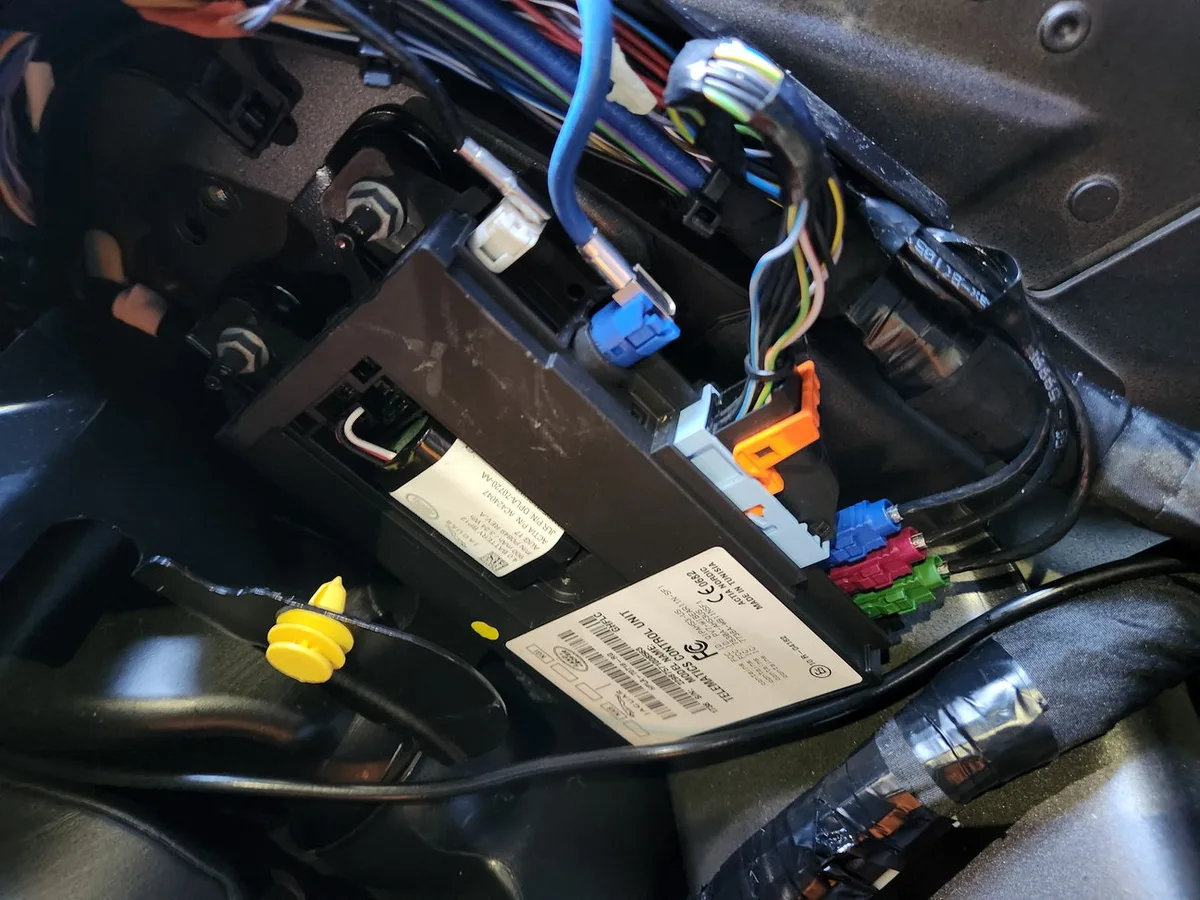
JLR telematics data — collected by the Telematics Control Unit (TCU) in your Jaguar or Land Rover — falls into four categories: location, driving behaviour, vehicle health, and emergency call data. You control most of it through the InControl privacy settings, though SOS and eCall functions remain active by law in many regions.
Connected features are genuinely useful, but connectivity involves a trade-off worth understanding on purpose rather than by default. This guide explains what is collected, who uses it, and how to configure the settings to your comfort level. For the hardware behind it all, see our JLR TCU replacement guide.
What Data the TCU Collects
The TCU gathers four distinct categories of data — real-time location, driving behaviour, vehicle health diagnostics, and emergency call information — each serving different features and each treated differently in your privacy settings. Knowing the categories matters because the controls are per-category, not all-or-nothing.
Breaking the categories down:
- Vehicle location data. Real-time GPS coordinates, powering navigation, stolen vehicle tracking, and the journeys history in the InControl app.
- Driving behaviour data. Speed, acceleration and braking patterns, primarily used to calculate the efficiency scores in the journeys feature.
- Vehicle health and diagnostics data. System status and Diagnostic Trouble Codes reported back to support remote diagnostics and product improvement.
- Emergency call (eCall) data. In a crash, the system transmits location, direction of travel and seatbelt status to emergency responders — the category with the strongest safety justification.
Who Actually Uses This Data
Four parties touch your telematics data: you through the app, JLR for product development and warranty support, emergency services after an eCall, and third parties only with your explicit consent for services like usage-based insurance. The default flow is narrower than most owners assume — consent gates sit on the categories people worry about most.
That last point deserves emphasis because it is where most concern concentrates: sharing driving data with an insurance provider is opt-in, not default, and happens only when you actively enroll in such a programme. JLR's own use focuses on research, warranty administration and diagnostic support — the same connectivity that enables features like remote fault assessment. Understanding this map lets you make decisions per category rather than treating connectivity as one all-or-nothing switch. Related reading: how connected systems behave during faults in our signs of a failing TCU guide.
Context helps calibrate concern, too. The data profile of a connected JLR is broadly similar to any modern connected vehicle — or, frankly, to the smartphone in your pocket, which collects location and behaviour data far more continuously and shares it far more widely. That does not make car data trivial; it means the same informed-consent habits you apply to apps apply here, and the car actually gives you clearer switches than most phones do.
The Privacy Controls You Have
InControl offers graduated privacy modes — full connectivity, journeys off, or connectivity off — letting you disable trip tracking or most data transmission while keeping the features you actually value. The settings live in the vehicle's InControl menu, take minutes to review, and can be changed as often as your preferences change.
The typical menu:
- Full connectivity. All features and data sharing enabled — the factory default.
- Journeys off. Individual trip tracking disabled while other connected features continue working.
- Connectivity off. Most data transmission stops, but this also disables live traffic, remote app functions and online services — the trade is explicit.
One category sits outside user control: SOS and eCall functionality generally cannot be disabled, owing to legal requirements in many markets. If you ever see SOS fault warnings on the dash, that is a hardware or subscription issue rather than a privacy setting — our JLR SOS system inactive fix covers it.
Balancing Features Against Privacy
The sensible approach is selective, not absolutist: keep the connectivity that delivers daily value, switch off the tracking categories that do not, and revisit the settings when your usage changes. Privacy on a connected car is a dial, not a switch — and the dial positions are yours to choose.
For most owners the high-value features are live traffic, remote status checks and stolen vehicle tracking — all location-dependent. The journeys feature, by contrast, is nice-to-have for some and pointless for others; switching it off costs nothing you will miss. Owners of older vehicles should note that privacy settings only matter while connectivity exists — the 3G shutdown has already switched off data transmission on pre-2018 3G-equipped cars, which is privacy by obsolescence rather than by choice. And if you are considering connected extras like the Wi-Fi hotspot, understanding the data path helps you configure it sensibly from day one.
Selling Your Car: The Privacy Checklist
A connected JLR carries your data history into its next ownership unless you sever the link — a proper handover means an account dissociation, a system reset, and a fresh start for the buyer. Ten minutes of admin protects your journeys, your locations and the next owner's privacy alike.
The checklist takes ten minutes. Remove the vehicle from your InControl account so journeys, location history and remote access stop following the car. Perform the infotainment factory reset to clear paired phones, navigation destinations and stored profiles. Cancel or transfer any active connected subscriptions according to their terms. And tell the buyer to register their own account from scratch rather than inheriting yours. The same logic applies in reverse when buying used: if the previous owner's account still controls the car, your location and remote functions are visible to a stranger — a registration check belongs in every used-car handover alongside the service history. Privacy on a connected car is not a setting you make once; it is a state you maintain at every ownership change.
Frequently Asked Questions
Does JLR sell my driving data to third parties? Third-party sharing requires your explicit consent — for example enrolling in a usage-based insurance programme. JLR's own data use centres on product improvement, warranty support and diagnostics rather than selling driver data.
Can I turn off all tracking completely? You can disable most data transmission via the connectivity-off mode, but SOS and eCall emergency functions remain active due to legal requirements in many regions. Complete radio silence is not a user option on a connected vehicle.
Will disabling journeys affect my navigation? No — journeys tracking is the trip-history feature in the app. Turning it off does not affect GPS navigation, live traffic or any in-car function.
Does my car transmit data when it is parked? Connected vehicles periodically communicate with servers for status checks and app responsiveness, even when parked. Connectivity-off mode stops most of this; a sleeping TCU otherwise uses minimal power and data.
What happens to my data if I sell the car? Perform a factory reset of the infotainment system and dissociate the vehicle from your InControl account before handover — this severs the data link between the car and your profile. Buyers should set up their own account fresh.
Take Five Minutes to Check Your Settings
Understanding JLR telematics data puts you in control: open the InControl privacy menu on your next drive and set it deliberately rather than by default. Questions about telematics hardware or connected features? Reach the team via sx-tool.com/en/shop/ or our remote coding service.