
Land Rover Maps: 5 Benefits of Staying Updated
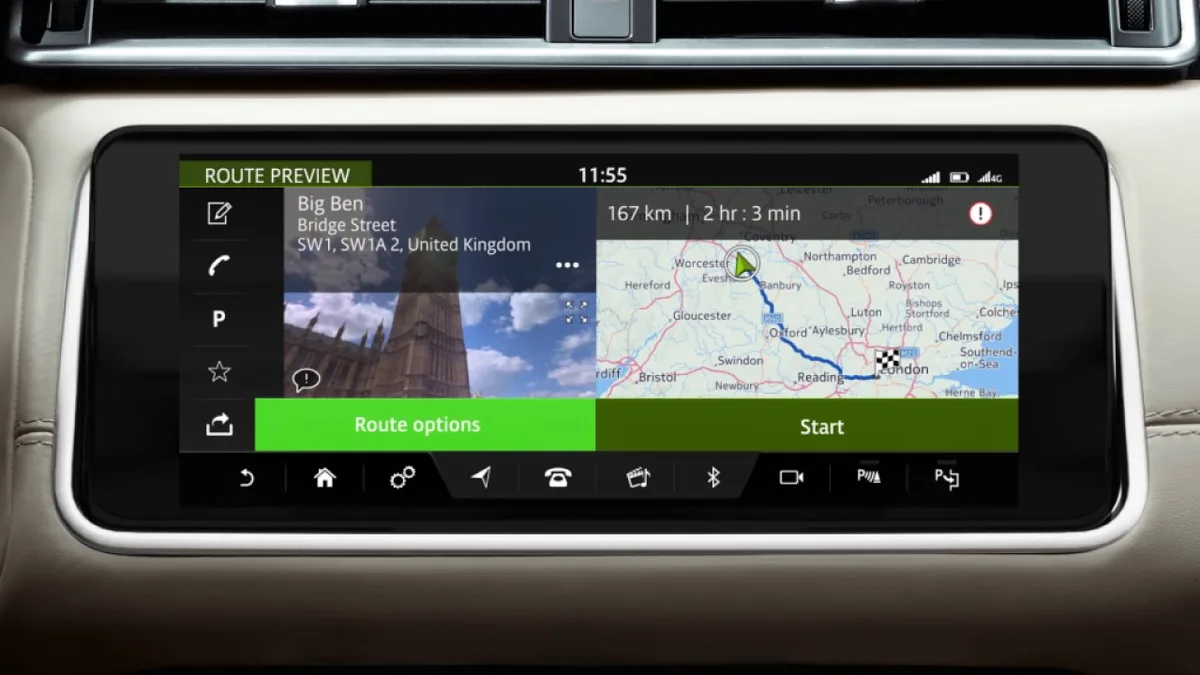
The Short Answer
Keeping Land Rover Maps updated delivers five concrete benefits: more accurate and efficient routing, a vastly expanded points-of-interest database, proper support for driver-assistance systems, reliable offline guidance where phones fail, and sharper last-mile address accuracy. An updated map is a safety and convenience upgrade, not a luxury.
Owners often ask whether a built-in navigation update is really worth it when a phone is sitting in the cupholder. The answer is that the factory system does things a phone cannot — it is wired into the vehicle's driver-assistance systems, works without a signal, and holds data your safety features quietly depend on.
Here are the five benefits that matter, and how to get the right update for your vehicle.
1. More Efficient and Accurate Routing
An updated map database contains far more than new roads: revised speed limits, new roundabouts, changed one-way systems, fresh turn restrictions and corrected junction geometry all feed the routing algorithm, so the routes it calculates are measurably quicker and more accurate than with stale data.
Road networks change constantly. New bypasses open, city centres gain pedestrian zones, and junctions are remodelled. A map that is three or four years old routes you around roads that no longer exist and misses roads that do — costing time, fuel and patience on every unfamiliar journey.
Each Land Rover Maps release rolls up months of verified changes from the map supplier. The practical effect is simple: the route the car suggests is the route a local would take, not the route that existed when the vehicle was built. If your routing has started making strange choices, the fix is usually data, not hardware — see troubleshooting Land Rover map update errors if an update attempt fails.
2. A Massively Expanded Points-of-Interest Database
Every map update adds and refreshes thousands of points of interest — fuel stations, restaurants, hospitals, car parks and, critically for plug-in models, EV charge points — so the places you search for actually exist where the system says they do.
For drivers of PHEV and EV models such as the Range Rover P400e or I-Pace, this benefit is practical rather than cosmetic. Charging infrastructure is growing fast, and a stale database will route you to chargers that have been removed while hiding new rapid chargers on your route. On a long journey in a plug-in vehicle, an out-of-date POI database is the difference between a planned stop and a range-anxiety detour.
The same applies to everyday searches: the fuel station that closed two years ago, the supermarket that moved, the hospital entrance that changed. Current Land Rover Maps data keeps the car's local knowledge as fresh as the phone in your pocket — without needing a signal to use it.
3. Proper Support for Driver-Assistance Systems
On many modern Land Rovers, the navigation map is an input to the driver-assistance systems: features such as adaptive cruise control use map data on curves, gradients and speed limits to anticipate the road ahead, so outdated maps degrade features you think of as safety equipment.
This is the benefit most owners never see. Systems like adaptive cruise control with stop and go and speed limit assistance do not rely on cameras alone — they blend camera and radar input with predictive map data to smooth braking before bends and adjust to changing limits. When the map is stale, those predictions are wrong, and the system's behaviour becomes noticeably less refined.
Keeping Land Rover Maps current keeps this predictive layer accurate. It is one of the few maintenance items that improves both comfort and safety systems at once — and it costs a fraction of any other ADAS-related work.
4. Reliable Guidance Where Phones Fail
Built-in navigation works without any cellular signal: the map data lives in the vehicle, so turn-by-turn guidance continues flawlessly through dead zones, national parks, tunnels and remote areas where a phone app has already given up. An updated map makes that independence dependable.
Phone navigation is excellent — until it is not. Coverage gaps across rural Britain, rural Europe and most interesting off-road destinations are real, and downloaded offline phone maps are rarely kept current. The factory system needs no data connection at all: positioning comes from GPS, and the maps are stored on board.
This is the core argument for updating rather than abandoning the built-in system. If you are choosing between platforms, our comparison of Pivi Pro versus InControl Touch Pro maps explains how each system stores and updates its data.
5. Sharper Last-Mile and Address Accuracy
Map updates continuously refine address data, entrance and exit points, and the internal layout of large venues, so the system guides you to the correct entrance of a shopping centre or business park rather than the wrong end of the postcode. Last-mile accuracy is where old maps embarrass themselves.
Everyone knows the frustration: the satnav announces "you have arrived" while the destination is clearly on the other side of a dual carriageway. That is a data problem, and it is exactly the class of problem each update fixes. Refined addressing, correct venue entrances and updated access roads remove the final frustrating five hundred metres of a journey.
Combined with the other four benefits, this is why a current navigation update is one of the cheapest quality-of-life upgrades available for any Land Rover still running its original map data.
How to Get the Right Update for Your Vehicle
The correct update depends on your infotainment generation and region: InControl Touch and Touch Pro systems update by USB with a vehicle-specific file, while Pivi Pro handles updates differently. Matching the update to your VIN is the only reliable way to avoid wasted downloads and failed installations.
The practical route:
- Identify your system. InControl Touch, InControl Touch Pro and Pivi Pro update differently — the screen layout tells you which you have.
- Get the VIN-matched file. Our guide to finding the correct Land Rover map update by VIN walks through it, and the step-by-step install is in how to update Land Rover InControl maps by USB.
- Check subscriptions. Some connected navigation features depend on an active subscription — see JLR navigation subscription renewal if live services have lapsed.
Frequently Asked Questions
How often should I update my Land Rover maps? Once a year is a sensible rhythm for most drivers. Map suppliers release fresh data at least annually, and drivers in fast-developing areas — or anyone relying on the POI database for charging stops — benefit from staying current. If your map data is more than two years old, the routing and POI gap is already noticeable on unfamiliar journeys.
Do map updates cost anything? That depends on the system and region. Some updates are available through the vehicle's connected services, while USB-based map updates for InControl systems are purchased as licensed files matched to your vehicle. Either way, the cost is modest compared with any other upgrade that touches safety and convenience systems at once.
Can I update the maps myself? Yes on InControl Touch and Touch Pro systems — the update installs from a correctly prepared USB drive and the process takes under an hour with the engine running or a battery support unit connected. Pivi Pro vehicles update over the air in most markets. Our step-by-step USB guide covers the whole procedure for owners.
Will a map update fix wrong speed-limit warnings? Usually, yes. Speed limit information comes from a combination of camera recognition and map data, and stale maps are a common cause of incorrect limit displays and alerts. An updated database corrects the map side of the equation; if errors persist afterwards, the camera or traffic sign recognition calibration needs checking.
My map update failed halfway — what now? Most failed USB updates come down to three causes: a wrongly formatted USB drive, a file not matched to the vehicle, or voltage dropping during the install. Do not keep retrying blindly — work through the failure modes in our troubleshooting guide, or let our team supply a verified VIN-matched package and talk you through the install.
Keep Your Navigation Earning Its Place
SX-Tool supplies VIN-matched map updates for InControl Touch and Touch Pro systems, covering Europe, Africa and the Middle East, with support if anything misbehaves during installation. Start with the InControl Touch Pro navigation update or browse the shop for your region.