
Update Land Rover InControl Maps via USB: Guide
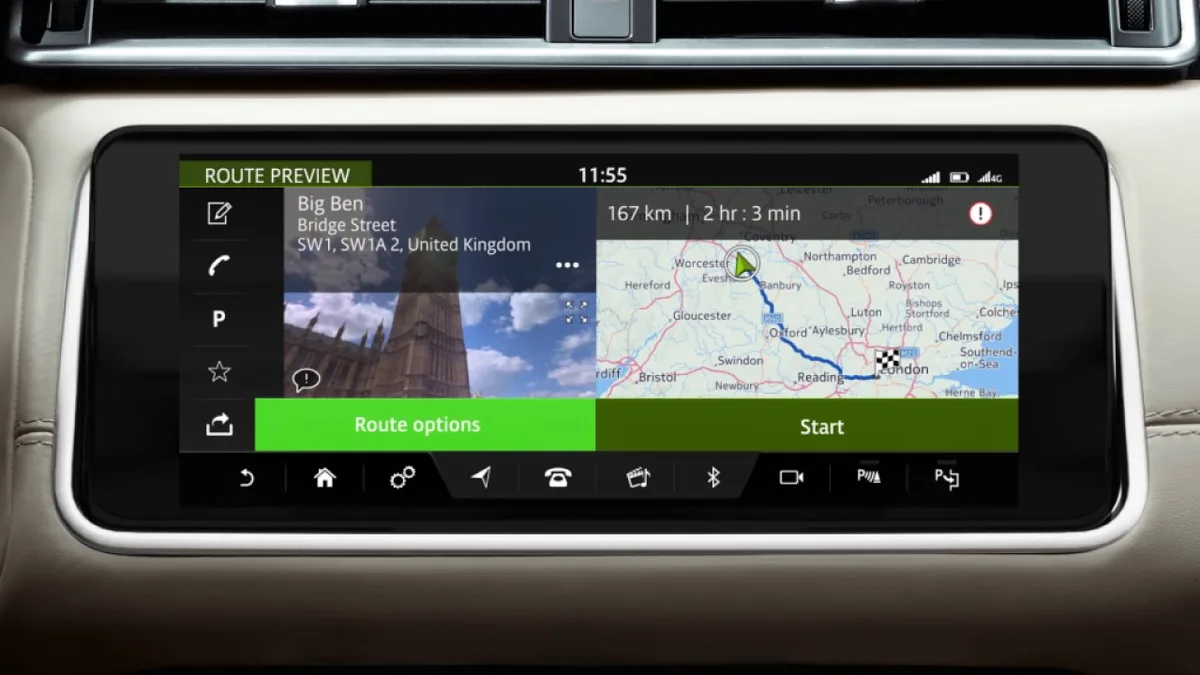
The Short Answer
To update Land Rover InControl maps via USB on InControl Touch Pro (2016–2020 vehicles), you download the correct map file for your VIN and region onto a suitable USB stick, plug it into the car's USB port, and let the system install — a 30–60 minute process with the vehicle powered throughout. The two rules that make or break it: the map file is VIN-locked (wrong file, no update), and the update must never be interrupted. Newer Pivi Pro vehicles update over the air instead — no USB needed.
This guide is the full procedure, including the preparation most failures skip.
First: Which System Do You Have?
The update method depends entirely on the infotainment generation — InControl Touch Pro updates by USB, Pivi Pro updates itself over the air, and mixing the procedures up wastes an afternoon.
| System | Years (approx.) | Update method |
|---|---|---|
| InControl Touch (pre-Pro) | to ~2016 | Dealer/SD card era |
| InControl Touch Pro (ICTP) | 2016–2020 | USB download — this guide |
| Pivi Pro | 2020 onwards | Over the air (SOTA), no USB |
ICTP is the 10-inch dual-view-capable system on L405, L494, early Velar, Discovery 5 and others. If your car announces its own software updates in the settings menu, you have Pivi Pro — see the Pivi Pro update guide instead. Vehicles by platform: Range Rover L460, Defender L663, Velar.
What You Need
Get the four ingredients right before touching the car — in our support logs, the wrong file, the wrong USB stick and the wrong power state account for essentially the entire failure list.
- The correct map file for your VIN and region. Files are VIN-locked; a map package for another vehicle will be rejected. How to identify the right one: find the correct map update by VIN.
- A suitable USB stick. 32 GB+ recommended, good quality, freshly formatted — the full map packages are large.
- The download portal. Official ICTP map downloads come from JLR's map portal at landrover.here.com.
- Power discipline for the install. The vehicle must stay awake for the whole update — engine running or a battery maintainer connected.
Step-by-Step: The USB Update
The procedure below is the one that works first time — total hands-on time about 15 minutes, install time 30–60 minutes depending on region size.
- Identify your system and current map version in the navigation settings (Settings → Navigation → Map version or similar).
- Download the map package for your VIN and region from the map portal, or order the ready-made InControl Touch Pro map update if you want the correct file supplied directly.
- Format the USB stick (exFAT for large packages; check the portal's instruction for your package) and copy the downloaded files exactly as supplied — do not rename or nest them in extra folders.
- In the car: start the engine (or connect a maintainer), let the infotainment fully boot.
- Plug the USB stick into the vehicle's USB port (centre console on most models) and wait for the system to detect the update.
- Follow the on-screen prompts to begin installation. The screen may show progress for a long time with little change — that is normal.
- Do not interrupt: no ignition off, no removing the stick, no doors slamming shut mid-write. Interruption is how you end up needing the troubleshooting guide.
- When complete, remove the stick when prompted, allow the system to restart, and verify the new map version in settings.
Common Mistakes That Waste an Afternoon
Every recurring USB update failure we see traces back to preparation rather than the car — the install itself is the easy part once the file, the stick and the power supply are right.
- Wrong region or wrong VIN file. The system rejects it, sometimes cryptically. VIN-locked means VIN-locked.
- Renamed or re-zipped files. Copy the package structure exactly as downloaded; the system validates names and layout.
- A tired USB stick. Old, slow or previously-partitioned sticks cause read errors mid-install. Fresh, name-brand, formatted clean.
- Ignition off mid-update. The classic. If the car sleeps, the write can corrupt — engine running or maintainer connected, always.
- Expecting USB on a Pivi Pro car. 2020+ vehicles update over the air; there is no USB map path.
Map Region Changes and Map PINs
Two adjacent jobs come up constantly and are worth naming plainly: moving a car between regions (import conversions) requires a different region's map package and often a configuration change, and some InControl Touch Plus / Gen2.1 vehicles require a map PIN to activate downloads.
Both are supplied as services: the map region change covers Africa/Middle East/Europe conversions, and VIN-keyed files or PINs are handled per vehicle. If your update is really a region conversion, start with the VIN-based guide so the correct package is identified before money moves.
Map Updates by Model: What to Expect
The USB procedure is consistent, but update size and time vary by model and region package — a full European package is a different afternoon from a single-country update.
Rough expectations: L405/L494 Range Rovers and Discovery 5 run the largest packages and the longest installs; Velar and Evoque are similar; older InControl Touch vehicles predate this process entirely. All ICTP models share the VIN-lock and power requirements. If you maintain several JLR vehicles — a household or a fleet — note that each car needs its own VIN-keyed package; one stick does not serve two vehicles.
Can I use the car while maps update? No — the vehicle must stay stationary and powered through the install. The engine running in a well-ventilated space (or a battery maintainer) and nobody touching the car is the safe configuration. Treat the update window as booked workshop time, not a commute.
Do map updates include speed camera or traffic data? Map packages update the road network, points of interest and address data. Live traffic and connected services run through the InControl subscription, not the map file — updating maps does not change subscription features, and a lapsed subscription is a separate matter from map currency.
Pivi Pro and Online Map Updates
Pivi Pro vehicles (2020 onwards) do not use this USB procedure at all — their maps update over the air through the same SOTA system that delivers software updates, with no stick and no portal download.
If your Pivi Pro vehicle's maps are stale, check the update settings and the vehicle's connectivity rather than reaching for a USB stick: failed or stalled over-the-air updates are a known pattern, usually rooted in battery health or telematics issues, and covered in our Pivi Pro update problems guide. Region changes on Pivi Pro are likewise configuration jobs rather than file swaps. The USB ritual in this guide belongs to the InControl Touch Pro generation — and for that fleet it remains the only correct path.
Frequently Asked Questions
How long does a Land Rover USB map update take? Download depends on package size and connection; the in-car install typically runs 30–60 minutes for a full region. Plan it as a parked-with-engine-running job, not something to squeeze in before departure.
Can I update maps myself, or do I need a dealer? You can absolutely do it yourself — the USB procedure is owner-level work. The two things people get wrong are file selection by VIN and power management during install. If you want the correct file identified and supplied for your VIN, that is exactly what our map update product does.
Why does my USB stick not get recognised? Usually format or file layout: reformat the stick cleanly (exFAT for large packages), copy the package exactly as supplied without renaming, and try a different, good-quality stick. The troubleshooting guide covers recognition failures in detail.
Do 2021+ Defenders update maps by USB? No — Defender L663 and other Pivi Pro vehicles update over the air via SOTA. There is no USB map path on that generation; map region changes on Pivi Pro are a configuration job, not a file swap.
Is updating maps worth paying for? If you navigate regularly, yes — road networks drift by several per cent a year, and a 2018 map in a 2026 road network misroutes daily. A current map is also a resale detail buyers notice. Free official downloads exist for some regions/periods; paid VIN-keyed packages exist when they do not.
What format should the USB stick be for map updates? exFAT for the large modern packages, formatted cleanly with old partitions removed; some older packages specify FAT32, so follow the instructions supplied with your download. Capacity is less important than condition — 32 GB from a known brand, freshly formatted, beats a 128 GB stick that has been partitioning duty for a decade.
Get the Correct Map File for Your VIN
We supply VIN-matched InControl Touch Pro map packages, region conversions and map PIN services worldwide — no guessing, no rejected files. Order at the map update product page or browse sx-tool.com/en/shop/.