
JLR Remote Key Programming via SX-LINK – Guide
The Short Answer
Modern JLR remote key programming is an online, security-authenticated process — new keys must be authorised against the vehicle's KVM (Key Vehicle Module) through a live session with JLR's systems. You do not need to tow the car to a dealer, though: with an SX-LINK remote session, a compatible interface plugged into the car, and the new key fobs on hand, programming is done remotely while the vehicle sits on your ramp or driveway. Adding a spare key typically takes well under an hour once connected; all-keys-lost recovery is more involved but equally possible without a dealer visit.
This guide explains what is happening technically, what you need on site, and how a remote session actually runs.
Why JLR Keys Are Not a DIY-with-a-Cable Job
On pre-2010 vehicles you could often add keys with a standalone programmer and thirty minutes. Modern JLR security is different: keys are authorised live against the KVM through JLR's servers, so the job needs an online session rather than a bench tool:
- The KVM (and on keyless platforms the paired RFA module) holds the vehicle's key data behind rolling security — the modern immobiliser architecture.
- Key authorisation requires a secure online session — TOPIx Cloud on DoIP-era vehicles, equivalent online routines via SDD-era security access on older platforms.
- Modules on 2017+ vehicles sit behind a secure gateway; unauthenticated tools cannot reach the security functions at all.
The legitimate paths are a dealer, a mobile locksmith with proper JLR tooling, or a remote programming session with the right infrastructure — which is what SX-LINK provides.
What You Need on Site
For a remote key session, the vehicle side needs only: a compatible interface, a laptop with internet, the new keys in hand and a supported battery — the rest happens on our side:
- The vehicle, with a healthy 12 V battery (a support unit connected is strongly recommended — programming with sagging voltage risks the KVM).
- A compatible interface connected to the OBD port — the SX-Tool interface or a supported DoIP/J2534 VCI, linked to a laptop with stable internet.
- The SX-LINK bridge session booked and active — this is the secure tunnel our engineer works through.
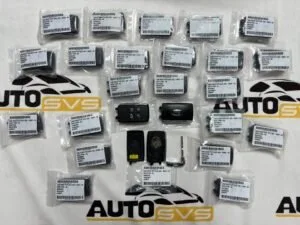
- The new key fob(s) — correct part number and frequency for the market (315 MHz vs 433 MHz matters; a US-spec fob will not pair with an EU car). For all-keys-lost, we confirm the correct fob package by VIN beforehand.
- Proof of ownership — remote security work requires it. No exceptions, for obvious reasons.
How a Remote Session Runs
The session itself is uneventful by design: you connect the vehicle, our technician takes over the software side, and the keys are authorised while you watch. Here is the sequence.
- Book and verify. You provide the VIN, vehicle location, the fault or requirement (add key / all keys lost / KVM replacement), and ownership evidence. We confirm fob part numbers and session feasibility.
- Connect. You plug in the interface, start the SX-LINK bridge, and we establish the remote connection — no port forwarding, no VPN gymnastics on your side.
- Diagnose first. We read the KVM and related modules, confirm the security state, and check for underlying issues (a failing KVM, a dead TCU backup battery causing misleading symptoms, prior failed attempts).
- Program. Through an authenticated TOPIx Cloud session (or SDD-era equivalent), we authorise the new key(s) against the KVM, pair the fobs, and — where required — synchronise steering lock and immobiliser data.
- Verify. Every key is tested: remote functions, keyless entry, start authorisation. A full-module scan confirms no residual faults.
- Close out. Session summary with what was done — useful for your invoice and for the vehicle's history.
Add-a-Key vs All-Keys-Lost
Adding a spare key and recovering from total key loss are the same job in principle but very different in time and cost. Know which situation you are in before booking.
| Scenario | What it involves | Typical session |
|---|---|---|
| Adding a spare key (at least one working key) | Authenticate new fob against existing KVM data | Short — often 30–45 minutes connected |
| All keys lost | Full security recovery: KVM access, new key set authorisation, immobiliser synchronisation | Longer; parts must be correct by VIN |
| Used KVM fitted | Virginise or clone the KVM first, then key programming | Combined session — see below |
| KVM fault/failure | Diagnosis, then repair, replacement commissioning or clone | Case-dependent |
All-keys-lost is where correct parts matter most: the fob package must match the KVM part-number family (FK72 / DPLA / JPLA families, 2-plug vs 3-plug hardware) and the vehicle's market frequency. We confirm all of this by VIN before the session — a wrong-frequency fob discovered mid-session wastes everyone's afternoon. If a used KVM is part of the repair, the virginise/clone step comes first; our used module programming guide explains that half of the job.
Coverage
Remote key programming via SX-LINK covers the modern JLR range — Defender L663, Range Rover L460 and L405, Range Rover Sport L461 and L494, Velar, Discovery 5, Evoque, Discovery Sport, and Jaguar XE/XF/F-Pace/E-Pace/F-Type — CAN-era vehicles via SDD-era security routines, DoIP-era vehicles via TOPIx Cloud. Older platforms are assessed case by case.
For Workshops: This Is a Revenue Line, Not a Cost
If you run a workshop, remote key programming turns declined jobs into invoiced ones. The customer arrives with a key problem; you provide the ramp, the interface and the booking; the security work happens remotely; you bill the customer at retail and pay a trade rate for the session. Workshops in 40+ countries run exactly this model with us — several build a marketed "keys while you wait" service on top of it. Related reading: our tool comparison for the interface options that make a workshop SX-LINK-ready.
Security, Ownership Verification and What We Will Not Do
Key programming is security work, and it is worth being explicit about how it is protected — because customers should ask this of anyone offering the service:
- Proof of ownership is mandatory. V5C/logbook or registration document matching the person or business requesting the work, plus photo ID for individuals. For trade customers, a documented job card linking the vehicle to their customer.
- VIN verification on the vehicle itself. The VIN programmed must match the physical vehicle; discrepancies stop the session.
- Sessions are logged. What was authorised, when, and by whom — documented for the vehicle's record and your invoice.
- We will not program keys without ownership evidence, work on vehicles flagged as stolen, or bypass security for purposes outside legitimate repair and maintenance. Any provider who will is a risk to you, not a service to you.
Legitimate owners and workshops never notice this friction beyond a five minute document check — and it is precisely what keeps remote key services available and reputable for everyone who needs them.
Frequently Asked Questions
Can JLR keys really be programmed without the dealer? Yes — legitimately. Key authorisation requires an authenticated online session with JLR's systems, but that session does not have to happen on a dealer's ramp. With SX-LINK, the secure session runs remotely to your vehicle wherever it is, with ownership verified beforehand.
What do I need for an all-keys-lost recovery? The vehicle, correct new fobs matched by VIN (frequency and KVM family matter), an SX-Tool interface or supported VCI, stable internet, and proof of ownership. All-keys-lost involves full KVM security recovery and immobiliser synchronisation, so sessions are longer than a simple spare-key add — but still far quicker and cheaper than dealer recovery plus towing.
Will a used or aftermarket key fob work? Used fobs are generally problematic — many are locked to their original vehicle and cannot be reliably reset. Quality new fobs of the correct part number are the dependable route; we specify and can supply them by VIN. "Universal" aftermarket fobs for modern JLR are a false economy.
Is remote key programming safe for the vehicle? Yes, when done with proper session discipline: battery support connected, stable connection, authenticated software, no interruptions. The KVM is a security module — it deserves the same programming care as any module write (see our programming safety guide).
How quickly can a session be arranged? Spare-key adds are usually scheduled within one to two working days once fobs are confirmed in hand; all-keys-lost is prioritised because the vehicle is immobile. Time-zone-friendly slots are available for our 40+ country customer base.
What happens to the old keys after programming? Adding a spare leaves existing keys untouched — everything that worked before keeps working. In all-keys-lost or security-compromise cases, the missing keys can be erased from the KVM so they no longer authorise the vehicle; if a lost key later turns up, it will not start the car. Tell us at booking if key erasure is required, as it changes the session plan.
Do you cover my country? SX-LINK sessions run wherever the vehicle has a stable internet connection — we currently support customers in more than 40 countries, with scheduling across time zones. The only hard requirements are the on-site kit listed above and, for modern vehicles, that the market's TOPIx Cloud services cover the VIN (we check this by VIN before you pay anything).
What if the session cannot be completed? Occasionally a session reveals an underlying hardware fault — a failed KVM, a damaged antenna, wiring issues — that no amount of programming will fix. In those cases we tell you exactly what was found, what part is required, and the session fee is handled on a fair no-fix basis agreed up front. You finish with a diagnosis and a plan rather than an invoice and a mystery, which is precisely how security work should end even on the bad days.
Book a Remote Key Session
Spare keys, all-keys-lost recovery, KVM commissioning — arranged worldwide via SX-LINK. Book at sx-tool.com/en/shop or check requirements by model at kb.sx-tool.com. Most sessions are scheduled within one working day.